
DOTA 2
Review, System Requirements & Download Guide
Dota 2 is a competitive multiplayer online battle arena (MOBA) game where two teams of five players each compete to destroy the opposing team’s base. Players select unique heroes, each with distinct abilities and roles, and work together to control the map, defeat enemy heroes, and secure objectives. Matches require strategy, teamwork, and quick decision-making, as every action can turn the tide of battle. Players earn experience and gold to strengthen their heroes during the game, creating opportunities for powerful plays. With a steep learning curve and a vibrant esports scene, Dota 2 rewards skill, coordination, and creativity.
Who Should Play DOTA 2
Team Coordinators
Players who enjoy communication, leadership, and teamwork.
They often play support or captain-like roles, guiding teammates during fights. Success depends on coordination more than individual skill alone.
Competitive Fighters
Players who enjoy PvP battles and skill against real opponents.They thrive in intense 5v5 matches where every mistake matters.Ranked mode gives them constant challenge and improvement.
Strategic Thinkers
Frustration Tolerance
Players who can handle losing streaks, toxic teammates, and tough games. Dota 2 can be mentally demanding and emotionally intense. These players stay calm and keep improving despite setbacks.

Genre: MOBA (Multiplayer Online Battle Arena)
Mode: Online
Storage: 60GB
Price: Free to play
How to start playing
If you have a Steam account, you can install and play directly from there.
If you do not have a steam account;
- Click play on steam
- Follow given steps to create steam account
- Install and play the game from there
Gameplay Screenshots
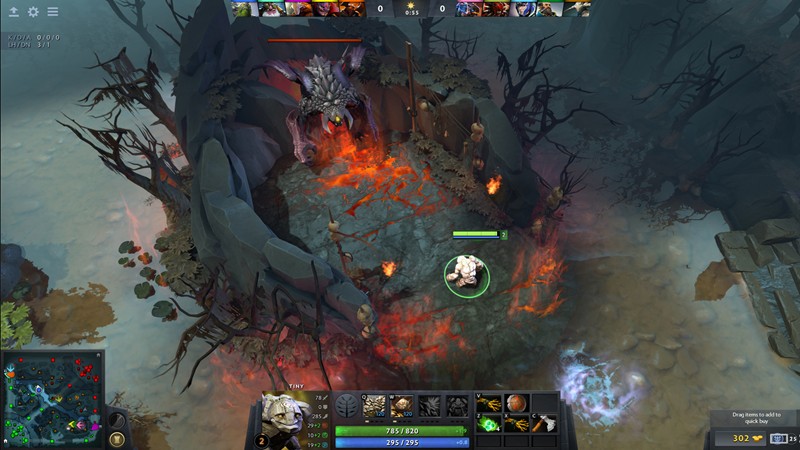
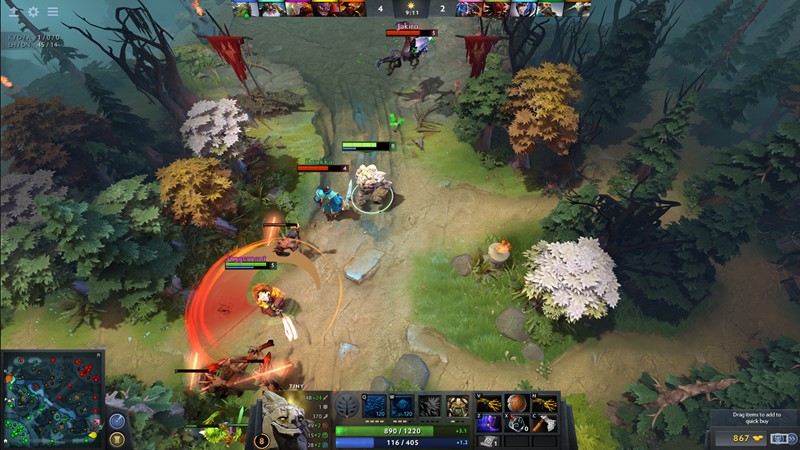
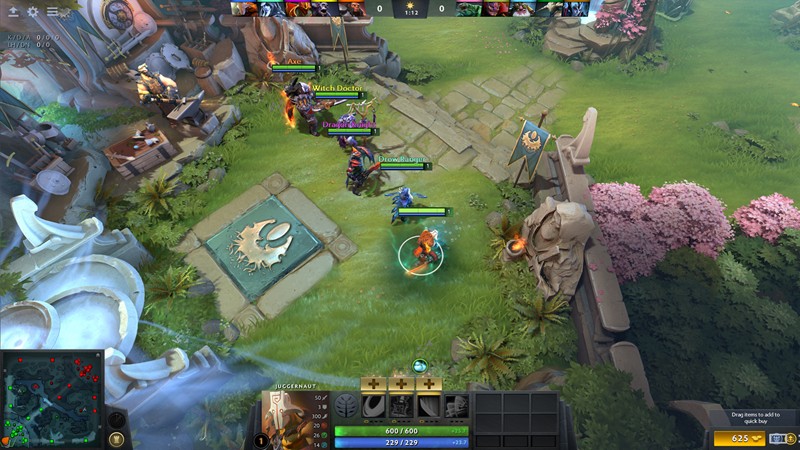
System Requirements
Minimum Requirements
OS: Windows 7 / 8 / 10 / 11 (64-bit) or macOS 10.12+ or SteamOS/Linux
CPU: Intel Core Dual-core 2.6 GHz+
RAM: 8GB
GRAPHICS: DirectX 10 compatible, 1 GB VRAM
DIRECTX: 10,11 Supported
STORAGE: 60GB
Recommended Requirements
OS: Windows 10 / 11 64-bit, macOS 10.14+, or Linux
CPU: Quad-core Intel or AMD at 3 GHz or better
RAM: 8GB
GRAPHICS: NVIDIA GeForce 8600/9600GT, ATI/AMD Radeon HD2600/3600 (2GB VRAM)
DIRECTX: 11
STORAGE: 60GB
Low-Spec Reality Check
What to consider for low-end PCs
Installing the game on SSD will improve the game performance
Dota 2 is surprisingly playable on low-end hardware, including Intel integrated GPUs like HD 4000, UHD 620, or Iris Xe. On such setups, you’ll need to lower resolution (720p–900p) and graphics settings to minimal for smooth gameplay. Performance may range from 30–50 FPS in crowded team fights, which is playable but not ideal for competitive matches. Dual-core CPUs and 4 GB RAM can run the game, but load times and map responsiveness may feel sluggish. Older Intel GPUs (pre-2015) can struggle with textures, particle effects, and shadows, so disabling fancy effects is essential. Overall, casual matches are possible, but serious ranked play benefits greatly from a dedicated GPU or at least a modern integrated graphics chip
Check OPTIMIZATION TIPS to know how to set the best settings for smooth game experience
Can't Run This Game? Here's What You Can Do
If your pc does has any issues with this game, too slow, crash, lags, stutter, or fail to launch. You can try other options to still enjoy similar gameplay experience.
Try This Quick Fixes And Test
- Lower Textures, Effects, Shadows, Anti-Aliasing to Low/Off
- Reduce Resolution or use Resolution Scaling (~70–80%)
- Use Launch Options:
-high -novid -nojoy -dx11 -nod3d9ex - Close background apps (Discord, browsers, streaming software)
- Update Intel GPU drivers via Intel Graphics Command Center
- Disable Ambient Occlusion, VSync, and fancy effects
- Limit particle-heavy skins/animations
- Use stable internet and enable Network Smoothing
Other Options To Try
If the game isn’t smooth and you really want the experience, you could try other lighter alternatives like similar Mobile Games, or even better by using Cloud Gaming which allows to stream play even games your PC can not handle on its own.
Play On Smart Phone And Similar Mobile Phone Versions Games Like DOTA 2
DOTA 2 or more games by Cloud. Even With Very Low End PCs.
Optimization Tips
How to optimise settings for smooth gameplay
Gameplay Tips
Tips and tricks you can try while playing DOTA 2
How To Download & Start Playing
Check different ways to access the game and choose what suits you
Official Methods
Related Games
League Of Legends
Free to play
Smite 2
Free to play
Path Of Exile
Free to play