
SMITE 2
Full Review, System Requirements & Download Guide
SMITE 2 is a third-person action MOBA that mixes hero-shooter aiming with traditional 5v5 strategy gameplay. Instead of controlling units like classic MOBAs, you directly aim abilities and attacks while playing gods from different mythologies such as Zeus, Loki, Anubis, and Thor. Built in Unreal Engine 5, it delivers improved visuals, larger effects, and more impactful combat than the original SMITE. The game includes Conquest, Arena, Joust, Assault, Ranked modes, and full cross-platform multiplayer.
Who Should Play Battle Team 2
Competitive Players
Players who enjoy ranked ladders and skill progression.
Focus on map control, teamwork, and strategy.
Mythological Fans
Enjoy playing gods from Greek, Norse, Egyptian, and other mythologies. Unique character designs and abilities with strong fantasy atmosphere.
Hero Shooter Fans
Players who prefer aiming attacks manually. Combines shooter reflexes with MOBA mechanics.
Team Based Shooter
Love to have experienced with friends. Communication and coordination matter heavily. Ideal for players who enjoy cooperative competition.
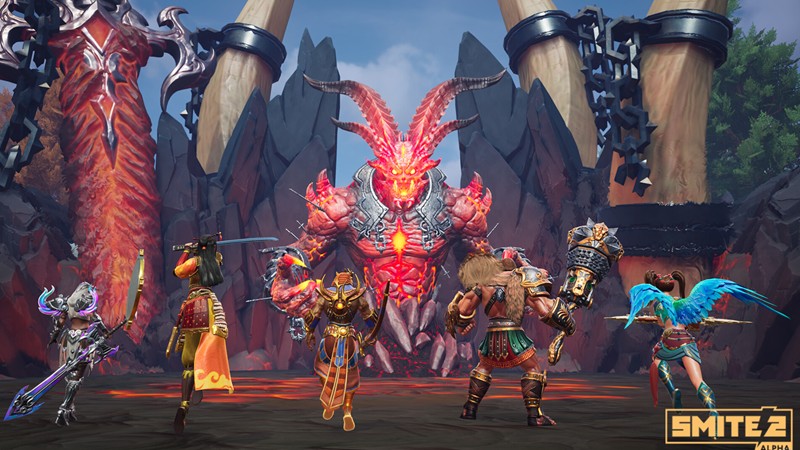
Genre: Multiplayer Online Battle Arena(MOBA)
Mode: Online
Storage: 30GB
Price: Free to play
How to start playing
If you have a Steam account, you can install and play directly from there.
If you don not have a steam account;
- Click play on steam
- Follow given steps to create steam account
- Install and play the game from there
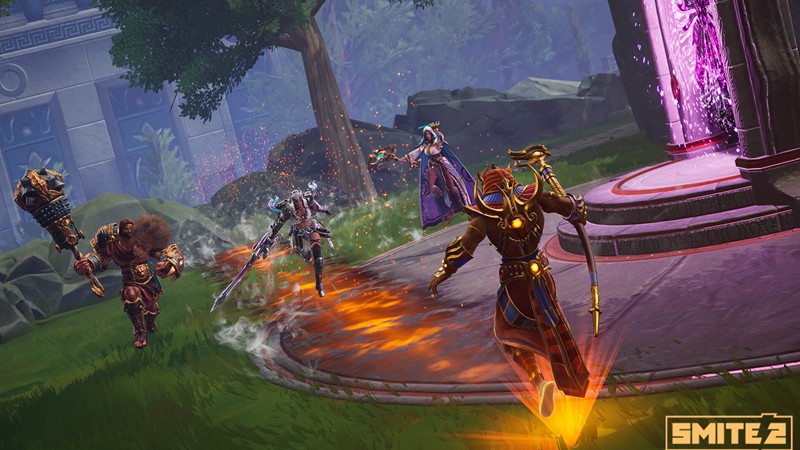
Gameplay Screenshots



System Requirements
Minimum Requirements
OS: Windows 10 (64-bit)
CPU: Intel Core i5-9400F / AMD Ryzen 4500U
RAM: 8GB
GRAPHICS: NVIDIA GTX 1630 / Intel Arc A380
STORAGE: 30GB
Recommended Requirements
OS: Windows 10, 11 (64-bit)
CPU: Intel Core i5-12400 or Ryzen 5 5600
RAM: 8-16GB
GRAPHICS: RTX 3060 / RX 6600 XT
STORAGE: 32GB
Low-Spec Reality Check
What to consider for low-end PCs
Installing the game on SSD instead of HHD Is recommended for this game.
SMITE 2 is much heavier because it uses Unreal Engine 5. Intel UHD Graphics, HD 620, HD 520, HD 4000, and older integrated GPUs are realistically below the target hardware. Many low-end laptops will either fail to launch properly or run at unplayable frame rates. Intel Arc graphics can run the game, but older Intel integrated graphics struggle badly. This game is more of a mid or average spec not low spec friendly. Community reports show even some RX 580 systems only reach around 40–50 FPS on reduced settings.
Check OPTIMIZATION TIPS to know how to set the best settings for smooth game experience
Can't Run This Game? Here's What You Can Do
If your pc does not meet the requirements, too slow, crash , lags, stutter, or fail to launch. You can try other options to still enjoy similar gameplay experience.
Try This Quick Fixes And Test
- Lower resolution to 1280×720.
- Set all graphics settings to Low.
- Turn Shadows Off.
- Close all background applications (browser, Discord, launchers).
- Use Fullscreen Mode instead of Borderless Window.
- Enable Game mode in windows
- Use high performance mode
Other Options To Try
If the game can’t run well and you really want the experience, you could try other lighter alternatives like similar Mobile Games, or even better by using Cloud Gaming which allows to stream play even games your PC can not handle on its own
Play It On Smart Phone And Similar Mobile Phone Versions Games Like SMITE 2
Play SMITE 2 or more richer games by Cloud. Even With Very Low End PCs
Optimization Tips
How to optimise settings for smooth gameplay
Gameplay Tips
Tips and tricks you can try while playing SMITE 2
How To Download & Start Playing
Check different ways to access the game and choose what suits you
Official Methods
Similar Games

League Of Legends
Free to play

RuneScape
Free to play

Overwatch
Free to play