
WORLD OF TANKS: BLITZ
Full Review, System Requirements & Download Guide
WOT Blitz is a free-to-play multiplayer tank combat game designed for fast-paced and accessible armored warfare on mobile and PC.
Players engage in real-time 7v7 battles using a wide range of historically inspired tanks from different nations.
The game focuses on strategic teamwork, map control, and vehicle upgrades to dominate opponents. With shorter match times and simplified controls, it delivers action-packed gameplay suitable for casual and competitive players. World of Tanks Blitz has updates, events, and customization options for long-term progression.
It is optimized for low to mid-spec devices, making it widely accessible and playable across platforms/devices.
Who Should WORLD OF TANKS BLITZ
Military Vehicle Fans
Interested in tanks, armored warfare, and historical old school style combat vehicles. Enjoys learning different tank types and roles.
Strategic/Tactical Players
Enjoy planning, positioning, and tactical decision-making. Prefers smart gameplay over fast reflexes alone.
Competitive Players
Likes mastering maps, tank builds, and combat strategies.
Casual Players
Plays for fun without taking every match seriously.
Enjoys short battles and gradual progression.
Team Based Playing
Works well with teammates and coordinated attacks.
Understands the importance of support and communication.

Genre: Tactical Multiplayer Shooter
Mode: Online
Storage: 6GB
Price: Free to play
How to start playing
If you have a Steam account, you can install and play directly from there.
If you don not have a steam account;
- Click play on steam
- Follow given steps to create steam account
- Install and play the game from there
Gameplay Screenshots
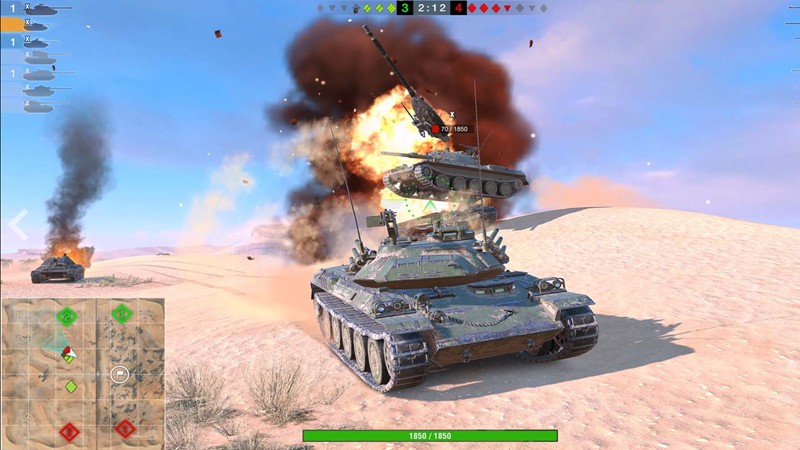
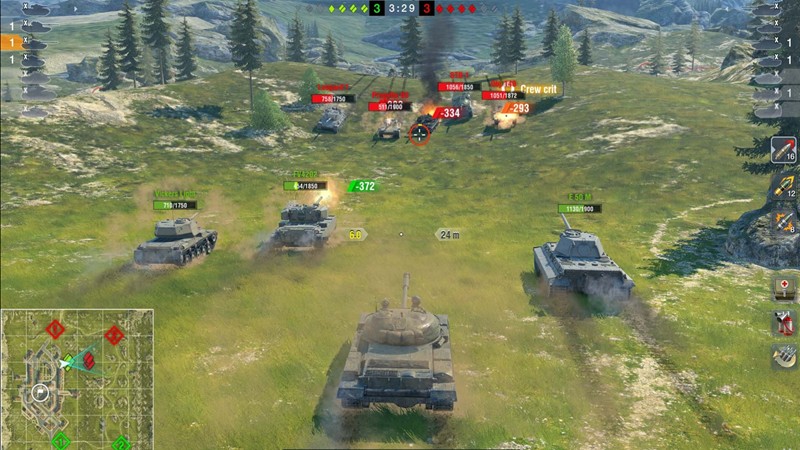
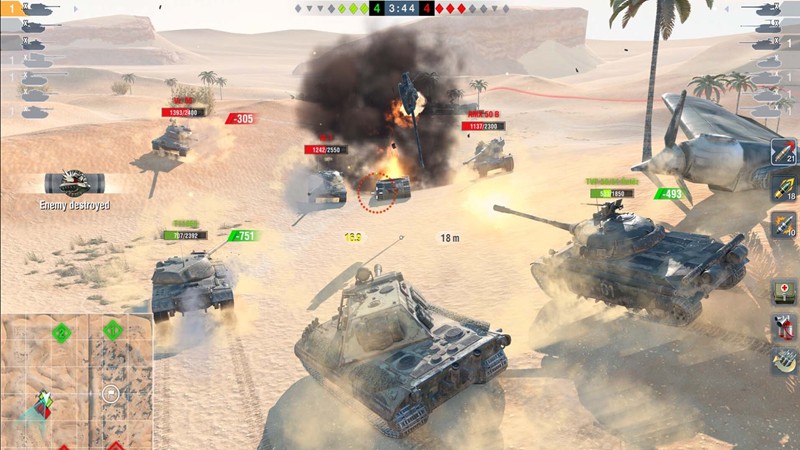
System Requirements
Minimum Requirements
OS: Windows 7
CPU: Dual-core 1.2 GHz or better
RAM: 2GB
GRAPHICS: Basic integrated graphics (OpenGL 2.0 / DirectX 11 support)
DIRECTX: 11 Supported
STORAGE: 5GB
Recommended Requirements
OS: Windows 10
CPU: Quad-core 2.0 GHz or better
RAM: 4GB
GRAPHICS: Mid-range integrated or dedicated GPU
DIRECTX: 11
STORAGE: 6GB
Low-Spec Reality Check
What to consider for low-end PCs
Installing the game on SSD instead of HHD Is crucial to enhance the game performance
It can work on 2 GB RAM devices with basic integrated graphics.
Even budget laptops can handle it smoothly at low to medium settings.
It is much lighter than the full PC version of World of Tanks.
Overall, it’s optimized for smooth gameplay on weak or mid-range hardware.
Check OPTIMIZATION TIPS to know how to set the best settings for smooth game experience
Can't Run This Game? Here's What You Can Do
If your pc does has issues running the game, too slow, crash , lags, stutter, or fail to launch. You can try other options to still enjoy similar gameplay experience.
Try This Quick Fixes And Test
- Lower graphics preset to “Minimum” or “Low”
- Turn off shadows, grass, and post-processing effects
- Enable FPS limiter / V-Sync off for smoother input
- Close background apps (browser, Discord, downloads)
- Update GPU drivers (NVIDIA / AMD / Intel)
- Switch to Fullscreen mode instead of windowed
- Install the game on an SSD if possible.
Other Options To Try
If the game can’t run well and you really want the experience, you could try other lighter alternatives like similar Mobile Games, or even better by using Cloud Gaming which allows to stream play even games your PC can not handle on its own
Play It On Smart Phone And Similar Mobile Phone Versions Games Like WORLD OF TANKS BLITZ
Play Such games or more richer games by Cloud. Even With Very Low End PCs
Optimization Tips
How to optimise settings for smooth gameplay
Gameplay Tips
Tips and tricks you can try while playing WORLD OF TANKS BLITZ
How To Download & Start Playing
Check different ways to access the game and choose what suits you
Official Methods
Similar Games

World of Warships
Free to play
World Of Tanks
Free to play
Star Conflict
Free to play