KRUNKER
Full Review, System Requirements & Download Guide
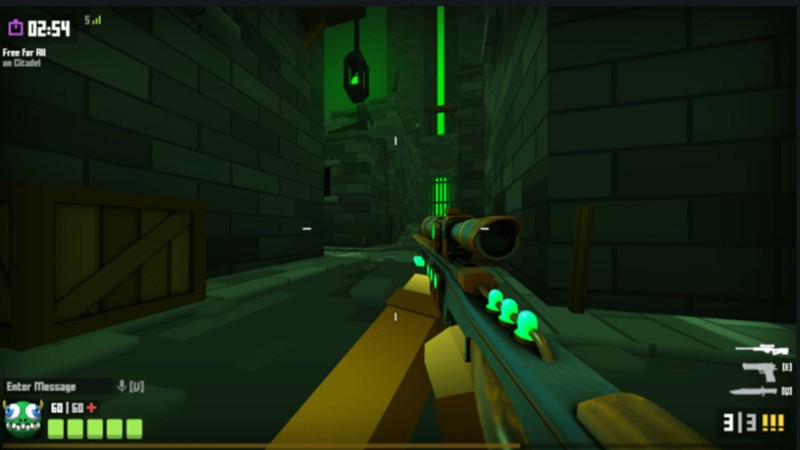
Krunker is a fast-paced, free-to-play first-person shooter (FPS) game playable directly in your browser or via desktop client. Designed for instant action, Krunker features lightweight gameplay, smooth controls, and low system requirements, making it accessible on almost any PC or laptop. Players can engage in competitive multiplayer matches across various game modes including team deathmatch, capture the flag, and free for all.
Who Should All KRUNKER
Fast Paced Action Lovers
Players who prefer quick, high-intensity matches with constant action. The game emphasizes speed, movement, and rapid firefights over tactical realism.
Competitive Aim Trainers
Players focused on improving aim, reflexes, and movement skills. The fast TTK (time-to-kill) and movement mechanics make Krunker useful for practicing raw FPS mechanics.
Casual FPS Players
Genre: FPS Shooter
Mode: Online
Storage: 200MB
Price: free
How to start playing
This game can be played directly from your browser without downloading or installation
- 1) Click on “Play Now” it will redirect to game
- 2) Click “Play” or “Quick Play” to enter a match
- 3) Choose a server, class, and you’re in
Gameplay Screenshots


System Requirements
Minimum Requirements
OS: Windows 7 or newer
CPU:Dual Core 2.3GHz / Older Intel Core i3 class
RAM: 2-4GB
GRAPHICS: Very basic integrated graphics (Intel HD can work)
STORAGE: 200MB
Recommended Requirements
OS: Windows 7 or newer
CPU: Quad-core ~3.5 GHz+
RAM: 4-8GB
GRAPHICS: Any Basic GPU even Intel graphics
STORAGE: 500MB
Low-Spec Reality Check
On very low-end PCs (even Intel HD 4000–620), it can run, often at 30–60 FPS on low settings due to its browser-based design. However, older CPUs and integrated graphics may still struggle in busy matches with drops and stutter.
With Intel UHD or Iris Xe graphics, gameplay is generally smooth and stable. Dedicated GPUs or stronger integrated graphics can easily push high FPS for competitive play. Overall, it’s one of the most accessible FPS games, but not completely “lag-proof” on outdated hardware.
Other Gaming Options To Try
Other ways to go about playing games, you could try other alternatives like Mobile Games, or even better by using Cloud Gaming which allows to stream play even games your PC can not handle on its own