
GRANNY
Review, System Requirements & Download Guide
Granny is a survival horror escape game where players must sneak through a dark house while avoiding a terrifying old woman.
The main goal is to solve puzzles, unlock doors, and escape before time runs out. The game focuses on stealth gameplay, sound awareness, and smart decision-making instead of combat. Players hide under beds, inside wardrobes, and use collected items to progress through different escape routes. Its simple controls and low PC requirements make it popular among casual horror and indie game fans.
Granny delivers tense jump scares, replayable challenges, and suspenseful gameplay that rewards patience and strategy.
Who Should Play GRANNY
Horror Fans
Love suspense, jump scares, burst of fear, and tense atmospheres; enjoy the thrill of sneaking around and avoiding danger.
Casual Gamers
Aiming for short bursts of gameplay with simple controls and objectives; can handle some fear but want light horror.
Stealth Gamers
Prefer avoiding confrontation, using more of timing and patience over combat; enjoy careful planning and observation.
Puzzle Lovers

Genre: Horror, Survival, Stealth, Puzzl
Mode: Offline
Storage: 2GB
Price: Free(Mobile) / Paid (PC)
How to start playing
If you have a Steam account, you can install and play directly from there.
If you do not have a steam account;
- Click play on steam
- Follow given steps to create steam account
- Install and play the game from there
Gameplay Screenshots
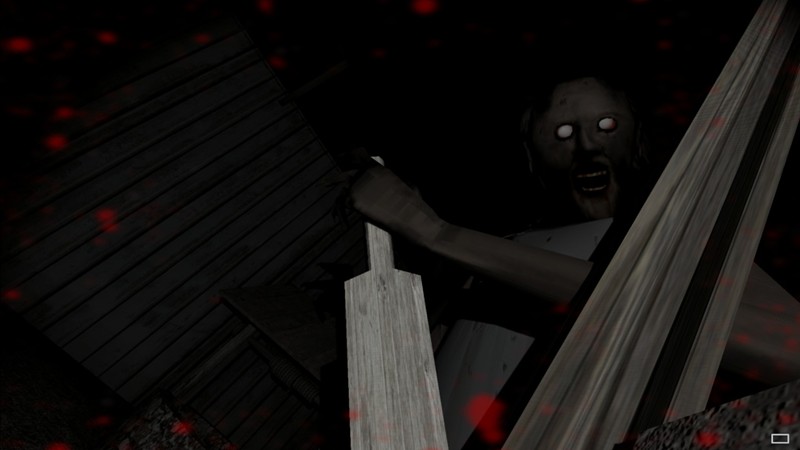
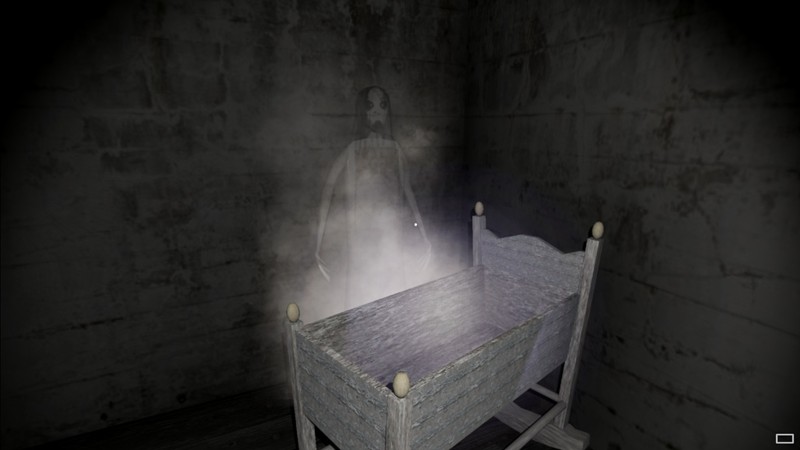


System Requirements
Minimum Requirements
OS: Windows 7,8,10, (64-bit)
CPU: Intel Core i5-750
RAM: 4GB
GRAPHICS: Radeon HD 5770
DIRECT X: Version 11
STORAGE: 1.5GB
Recommended Requirements
OS: Windows 10,8,11 (64-bit)
CPU: Intel Core i5-750
RAM: 4GB
GRAPHICS: NVIDIA GeForce GTX 560
DIRECT X: Version 11
STORAGE: 2GB
Low-Spec Reality Check
What to consider for low-end PCs
Installing the game on SSD is an advantage to the game performance
A 2nd–4th gen i5 with 4GB RAM and old GPUs like HD 5770 can handle it.
Integrated graphics (Intel HD 4000/4600) are usually playable at low resolution too.
Expect occasional stutter on very old laptops, but Granny is genuinely lightweight.
Check OPTIMIZATION TIPS to know how to set the best settings for smooth game experience
Can't Run This Game? Here's What You Can Do
If your pc does has any issues with this game, too slow, crash, lags, stutter, or fail to launch. You can try other options to still enjoy similar gameplay experience.
Try This Quick Fixes And Test
- Lower resolution to 720p or below and set graphics to Low.
- Close Chrome, Discord overlays, recording apps, and background launchers.
- Update GPU drivers and switch laptops to High Performance mode.
- If stuttering persists, cap FPS to 30 and play fullscreen instead of windowed mode.
Other Options To Try
If the game isn’t smooth and you really want the experience, you could try other lighter alternatives like similar Mobile Games, or even better by using Cloud Gaming which allows to stream play even games your PC can not handle on its own.
Play On Smart Phone And Similar Mobile Phone Versions Games Like GRANNY
Stream Play any game or other games by Cloud. Even With Very Low End PCs
Optimization Tips
How to optimise settings for smooth gameplay
Gameplay Tips
Tips and tricks you can try while playing GRANNY
How To Download & Start Playing
Check different ways to access the game and choose what suits you
Official Methods
Similar Games

Granny Escape Together
Paid : Check price

Cry Of Fear
Free to play

Poppy Playtime
Free to play